
Check if your insurance includes Mercosur
Policies with the Mercosur certificate show the MERCOSUR mark on their card.
- Tap the Documents tab, or open the vehicle and tap Docs.
- Look at the policy card: if it includes Mercosur, it has the MERCOSUR mark next to the insurer’s name.
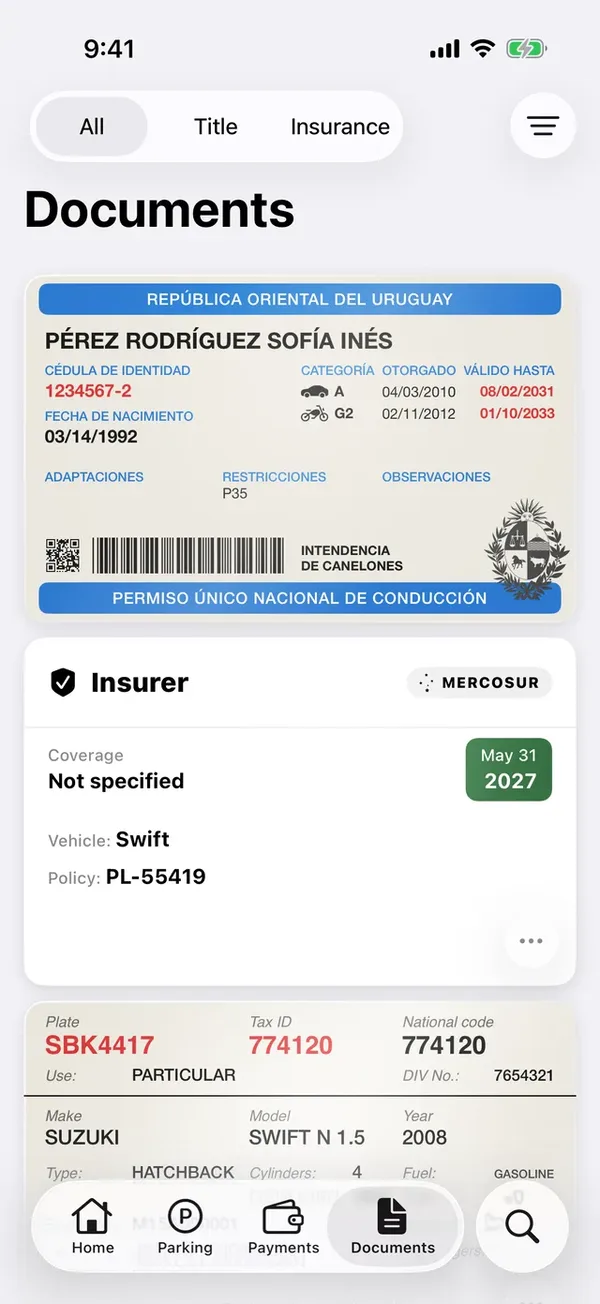
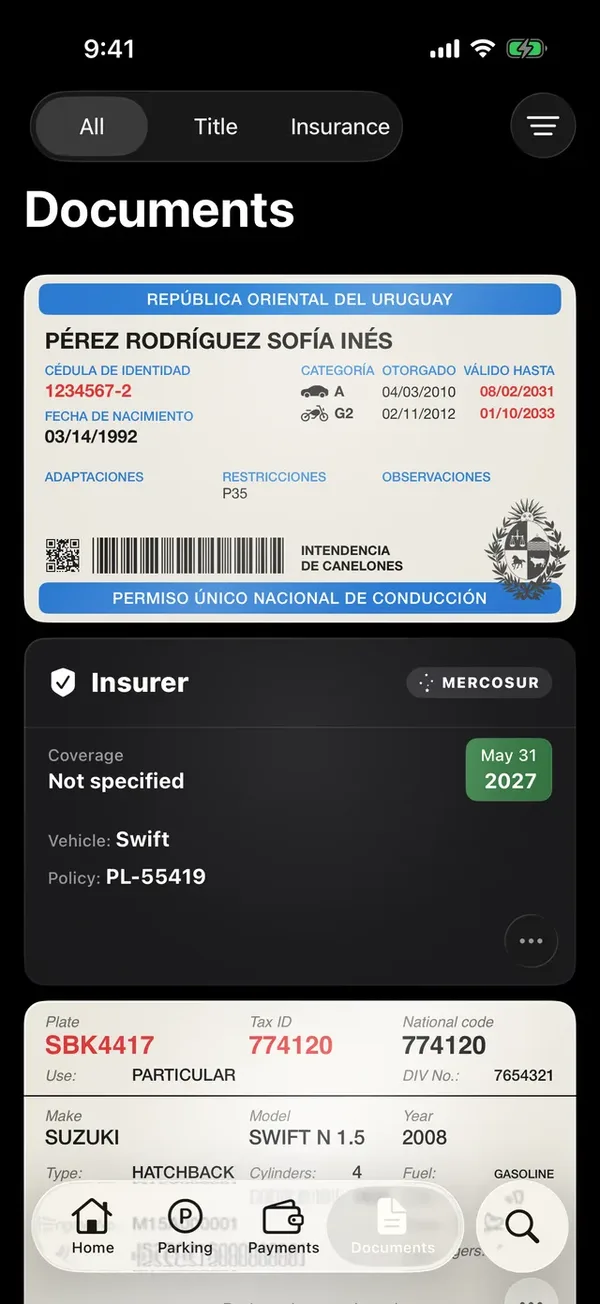
When you scan a policy that mentions Mercosur, the mark turns on by itself.
Correct it
- On Documents, tap ⋯ on the policy, then Update policy.
- Tap Continue and turn MERCOSUR coverage included on or off.
- Tap Save.
More in Documents
Didn’t find what you were looking for? Write to [email protected] and we’ll get back to you.