
End-to-end encryption and your recovery code
Your registration cards and license photos are encrypted on your iPhone. Keep your code in case you change iPhones.
There’s nothing to turn on: it’s always on. The images of your registration cards and your license photos are encrypted on your iPhone before they’re uploaded. We can’t see them. The key is kept in your iCloud Keychain.
Save your recovery code
- On Home, tap your account button.
- Tap Privacy & Access, then Recovery Code.
- Tap Show Recovery Code and confirm with Face ID or your iPhone’s passcode.
- Write it down, or tap Copy Code and keep it in a password manager.

Anyone with this code and your account could open your documents. We don’t have it.
On a new iPhone
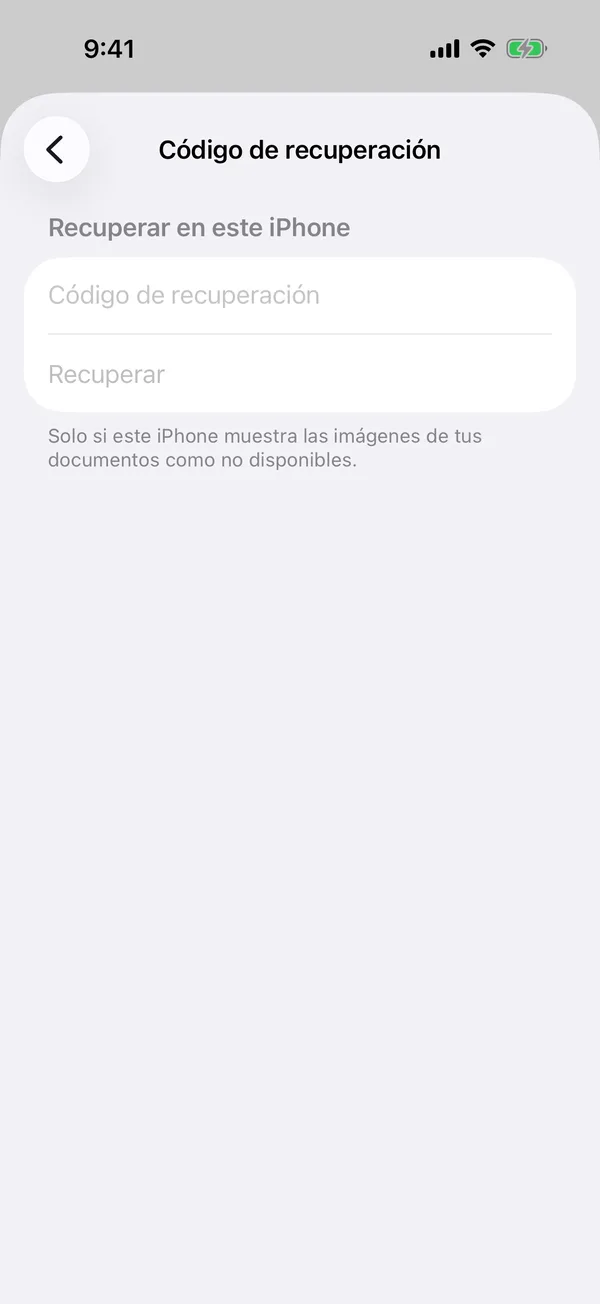
Usually the iCloud Keychain brings the key and there’s nothing to do. If your documents’ images say Image not available:
- Open Privacy & Access, Recovery Code.
- Under Restore on this iPhone, type your code.
- Tap Restore.
If you don’t have the code, scan the card again to keep it.
More in Documents
Didn’t find what you were looking for? Write to [email protected] and we’ll get back to you.