
Accept an invitation
When someone invites you to a vehicle, accept it from the notification, the link or your account.
Open the invitation in any of these ways:
- Tap the notification.
- Open the link you were sent by message or email. If you’re signed out, the invitation opens once you sign in.
- On Home, tap your account button. Under Pending, tap Fleet invitation.
You’ll see the vehicle, who invited you and with which role.
- Tap Join and the vehicle’s name.
- The vehicle appears on your Home.
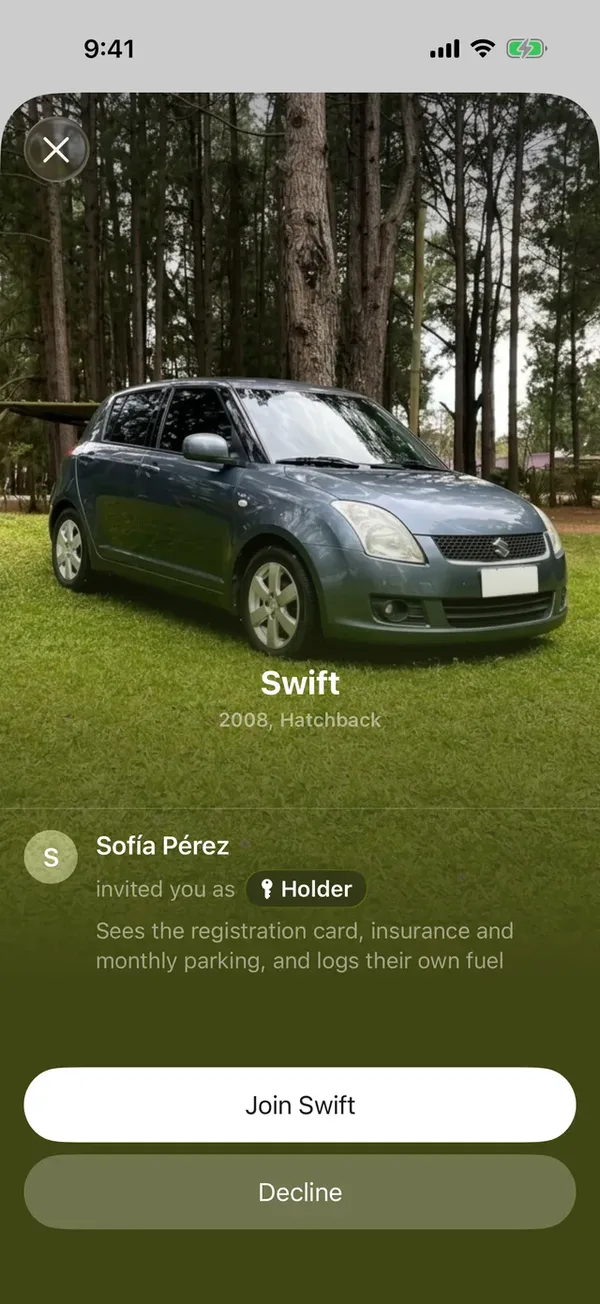
If you don’t want to join, tap Decline.
If the invitation doesn’t open
- Invitation expired: ask whoever invited you for a new one.
- Invitation used: that link was already accepted.
- Already a member: you already have access. Tap View fleet.
- Offline: connect to the internet and tap Try again.
More in Sharing
Didn’t find what you were looking for? Write to [email protected] and we’ll get back to you.